If you have worked with Zoho CRM automation, you know about Functions. Functions is the place where you write small pieces of code to make CRM do things on its own. Send an email when a deal closes. Update a field when a lead comes in. Call an outside API when a record is created. All this happens inside Functions.
Till now, almost all of this code was written in Deluge. Deluge is Zoho’s own scripting language, made only for Zoho products.
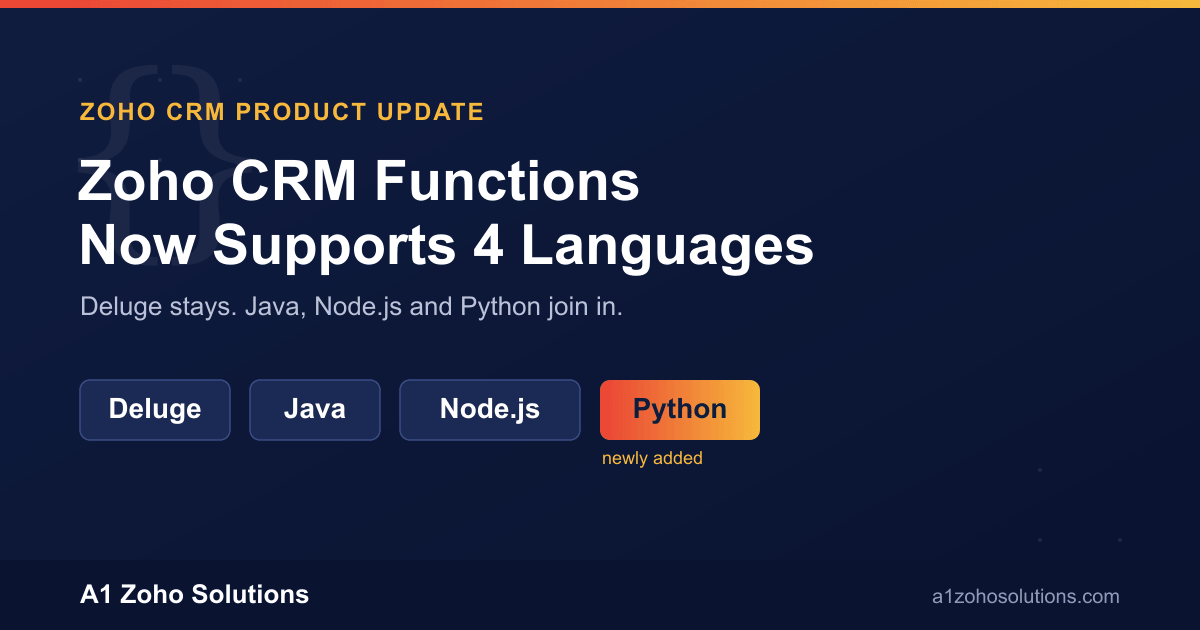
Zoho has now added three more languages to Functions. You can write your CRM automation in Java, Node.js and Python as well. Along with this, Zoho has also redesigned the whole Functions section, with a new dashboard, better analytics, and easier ways to organise your functions.
In this blog, we will look at what has actually changed, how the new multi-language support works, and which language makes sense for which kind of business need.
A Quick Background on This Update
This is not a sudden change. Zoho first talked about bringing Java, Python and Node.js support to CRM Functions back in 2019, along with a new built-in code editor. At that time, it was announced as work in progress.
By late 2024, Java and Node.js were made available on early access. Businesses had to write to Zoho support directly to get access. Python support was still under development at that point.
Now, with this latest release, Zoho has put all of this together. The Functions section has a new interface, and Python support has been added alongside the existing Java and Node.js support. So today, a Zoho CRM function can be written in Deluge, Java, Node.js or Python, whichever fits your need.
Zoho has said this new experience is being rolled out to all data centres in phases, over a couple of weeks. So if you don’t see the new language options in your account yet, it should reach you soon. If you need it urgently for a project, you can also reach out to Zoho support to check your account’s rollout status.
What Else Has Changed in the Functions Section
The language support is the big update, but Zoho has also reworked how the Functions section looks and works.
A dashboard for each function. Every function now has its own overview page. You can see where that function is being used across your CRM, what other functions or components depend on it, and what connections it needs to run. Earlier, this kind of tracking was hard to do, especially in accounts with a large number of functions built up over the years.
Better sorting and filtering. The Functions tab now lets you sort by name, API name, created time or modified time. You can filter by language, category or runtime, and save your own custom views. This is a small thing, but if your account has hundreds of functions built over time, being able to filter by language or find unused ones saves real time.
Usage analytics. You can now see how many times a function has run, how many of those runs failed, how much time each execution takes, and which language or module is generating the most activity. This is useful for spotting a function that is failing silently, or one that is eating up more execution credits than expected.
Tags for organising functions. You can tag functions in bulk and use those tags to group related automation together, which helps when different teams or projects are sharing the same CRM account.
None of these changes require you to touch your existing Deluge functions. They are already there when you open the Functions area.
How Multi-Language Support Works
Inside Setup, under Developer Space, the Functions tab now has a dropdown to pick your programming language. Right now, the supported runtimes are Node.js 22, Java 17 and Python 3.12. Zoho has mentioned that newer versions, Node.js 24, Python 3.13 and Java 25, are expected within a couple of months of this release, so this list should keep growing.
You have two ways to add your code. You can write it directly inside Zoho’s built-in editor, which now opens in full screen with its own console to check output and errors. Or, if your team already has code ready in an external editor like Eclipse or VS Code, you can package it as a ZIP file and upload it directly.
One useful piece here is something called Zoho Request Client, or ZRC. Any time your Java, Node.js or Python function needs to call an API, a Zoho CRM API, some other Zoho service, or a completely outside API, it goes through ZRC. If the call is to Zoho CRM itself, ZRC handles the login and authentication on its own. You don’t have to set up a separate connection just for that. For outside APIs, you configure the request once, and ZRC takes care of sending it.
Which Language Should You Actually Use
This is the question that matters more than the feature list. Having four language options is only useful if you know when to reach for which one.
| Language | Good fit for | Not the best choice for |
|---|---|---|
| Deluge | Quick, CRM-specific automation, field updates, approval steps, simple notifications. No separate hosting or setup needed. | Heavy data processing, or logic that needs external libraries not built into Deluge. |
| Java | Businesses that already run Java on the backend, or need to plug CRM into an existing enterprise system built in Java. | Small, one-off automation where writing full Java classes is more work than it needs to be. |
| Node.js | Real-time work, calling REST APIs, handling webhooks, working with JSON data. Good if your dev team already works in JavaScript. | Data science or machine learning type work, where Python has a stronger ecosystem. |
| Python | Data processing, scoring or ranking leads with a simple model, working with AI or automation tools your team already runs in Python. | Very basic, single-field automation, where a two-line Deluge function does the same job faster. |
A simple way to think about it: if your team is already writing code in a certain language for other parts of the business, they can now bring that same skill into Zoho CRM, instead of learning Deluge from scratch. If nobody on your team codes outside of CRM, Deluge is still often the fastest and simplest option for day-to-day automation.
Business Benefits of This Update
Your existing developers can work inside Zoho CRM. If you have a team that already builds in Java, Node.js or Python for your website, internal tools or other systems, they don’t need to pick up a new language just to automate CRM tasks.
Code reuse becomes possible. A Python script your team already uses for lead scoring, or a Node.js module that talks to a third-party service, can potentially be reused or adapted for CRM Functions, instead of being rebuilt in Deluge from scratch.
Better visibility into what’s running. The new dashboard and analytics mean less guesswork when something breaks. You can actually see which function is failing and how often, instead of only finding out when a business process silently stops working.
More room to build complex automation. Some business logic, for example combining data from several systems, running calculations, or connecting to a machine learning model, is genuinely easier to write in Python or Java than in Deluge, which was built mainly for simpler, CRM-focused tasks.
Things Worth Knowing Before You Switch
Deluge is not going anywhere. It is still deeply built into CRM workflows, approval processes, and many out-of-the-box automation points. For plenty of use cases, it remains the fastest way to get something working.
This is a phased rollout. Depending on your data centre and account, the full set of features may take some time to reach you. It is worth checking your account directly, or asking your Zoho partner, before planning a project around this.
Using Java, Node.js or Python means your team needs actual working knowledge of that language, not just familiarity with CRM. If you don’t have that in-house, this is where bringing in outside help for the setup and initial functions makes sense, even if your own team maintains it going forward.
Zoho has not published separate pricing for each language as of now. Function execution generally counts against your account’s existing limits, regardless of which language you use. It’s best to confirm current limits and plan details directly with Zoho or your implementation partner before building anything at scale.
How This Fits Into Your Zoho CRM Setup
Most businesses using Zoho CRM already have some Deluge functions running quietly in the background, sending notifications, updating records, connecting to Zoho Books or a WhatsApp integration. This update doesn’t ask you to change any of that.
Where it helps is with the next project. If you’re planning something that needs real API integration, data processing, or logic your Deluge developer finds difficult to write cleanly, you now have Java, Node.js and Python as real options inside CRM itself, not just as external systems you connect to.
At A1 Zoho Solutions, we work across Deluge, Java, Node.js and Python for CRM automation, so when a new requirement comes in, we can pick the language that actually fits the task, instead of forcing everything into one.
FAQs
Is Deluge being replaced by Java, Node.js and Python?
No. Deluge continues to work exactly as before. The new languages are additional options, not a replacement.
Do I need to know Java, Node.js or Python myself to use this?
Yes, at least someone on your team or your implementation partner needs working knowledge of the language you choose. These are full programming languages, not simplified CRM scripts.
Is this available in my Zoho CRM account right now?
It depends on your data centre and account, since Zoho is rolling this out in phases. If you don’t see the language options under Setup > Developer Space > Functions yet, check back in a few weeks or reach out to Zoho support.
Can I upload code I’ve already written elsewhere?
Yes. Instead of writing inside Zoho’s built-in editor, you can package your code as a ZIP file from an external editor and upload it directly.
Will switching to Java, Node.js or Python cost more than using Deluge?
Zoho has not announced separate pricing based on language. Function runs generally count toward your account’s existing execution limits. Confirm current details with Zoho or your partner before building anything at scale.
What is Zoho Request Client (ZRC)?
It’s the built-in tool your functions use to make API calls. For Zoho CRM APIs, it handles authentication automatically. For other APIs, you set up the request once and ZRC handles sending it.
Conclusion
Zoho CRM Functions supporting Java, Node.js and Python is a genuinely useful update, but it’s not a reason to rewrite everything you already have. Deluge still works fine for straightforward CRM automation. Where this update helps is with the harder cases, the integrations, data processing and complex logic that were always a bit of a stretch for Deluge alone.
If your team already writes code in one of these languages, this is a good time to explore what more you can do inside Zoho CRM without switching tools. And if you’re not sure which language fits your next automation project, it’s worth getting that sorted before you start building, rather than after.