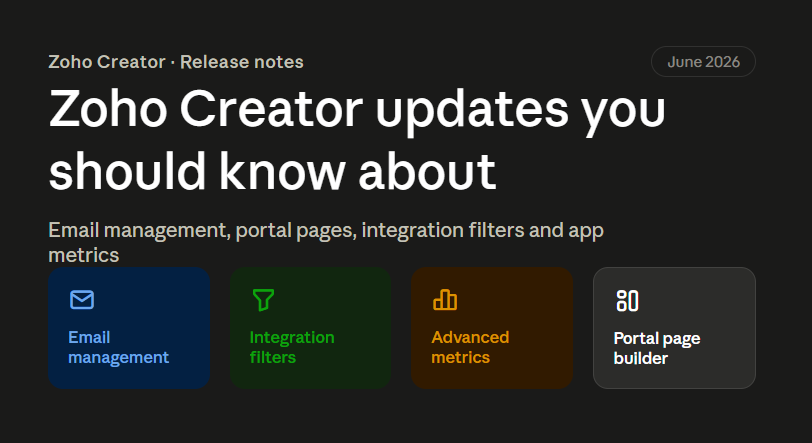
If you are running any application on Zoho Creator, June 2026 brought some changes that are worth your attention. Zoho did not just add small fixes this time. They touched things that directly affect how your customer portals look, how your emails go out, and how you understand app usage.
At the time of writing this (July 2026), Zoho has not published any new release notes for July yet. So this post covers everything that came out in June, and what it actually means for a business owner or a Zoho admin, not just a list of feature names.
We work with Zoho Creator every day for our clients, building custom apps, portals, and automations. So instead of just repeating the release notes, we are explaining where each update actually helps and where it does not matter much.
Table of Contents
- Revamped Email Management
- Filter Criteria for Integration Fields
- Advanced Metrics for Applications
- New Portal Page Builder
- Which Update Matters Most for Your Business
- FAQs
- Conclusion
1. Revamped Email Management
Earlier, when your Zoho Creator app sent out emails (like form submission confirmations or approval alerts), you had very limited control over how those emails went out. Now Zoho has opened this up properly.
You can now choose from five different channels to send outgoing emails:
- Creator Built-in – works out of the box, no setup needed. You can also verify your own domain so emails come from your business address instead of a generic one.
- ZeptoMail – Zoho’s own transactional email service. Good if you send a high volume of emails and want tracking and delivery monitoring.
- Microsoft Outlook – route emails through your existing Outlook account.
- Gmail – same, but through Google.
- Custom SMTP – connect any mail server you already use, with support for basic login or OAuth 2.0.
Why this matters: A lot of businesses lose trust because their automated emails land in spam, or the “from” address looks unfamiliar to the customer. If your Creator app sends invoices, order confirmations, or approval notices, using your own domain (through Creator built-in with domain authentication) or a proper transactional service like ZeptoMail can improve delivery rates quite a bit.
One thing to note: you can set up more than one channel, but only one can be active at a time, and only the super admin can manage this. So if you are planning to switch, keep that in mind before you do it live.
2. Filter Criteria for Integration Fields
The Integration field in Zoho Creator lets your app pull records from connected services like Salesforce or QuickBooks. Earlier, this field would show all the records from the connected app, even if most of them were not relevant to the user filling the form.
Now you can set filter conditions on this field. Two ways to do it:
- Fixed values – simple conditions like Status = Active.
- Form-based values – conditions that change based on what the user is entering in the current form, using other form fields or variables.
Right now this filtering works only with QuickBooks and Salesforce. Zoho has said more services will get support later.
Why this matters: If your team has ever complained that a dropdown or lookup field in a Creator form shows hundreds of irrelevant records from Salesforce or QuickBooks, this update solves exactly that problem. It also reduces mistakes, because users see only what applies to them instead of scrolling through a long list.
3. Advanced Metrics for Applications
Zoho Creator already had a Metrics feature that showed overall usage – active users, total interactions, session activity, that kind of thing. Now there is an Advanced Metrics option added on top of it.
This new layer shows feature-level usage. So instead of just knowing “50 people used the app today,” you can now see which specific forms, reports, or pages people are actually using, and where they are dropping off.
Why this matters: This is genuinely useful if you have a large internal app with many modules and you are not sure which parts are actually being used. We have seen clients build large Creator apps with many forms and pages, only to find out later that half the app is barely touched. Advanced Metrics gives you the data to make that call with confidence instead of guessing.
Both the old Metrics and the new Advanced Metrics are available, and you can switch between them anytime.
4. New Portal Page Builder
This is probably the biggest update of the month.
Earlier, customization of Zoho Creator portals was limited to the login, signup, and password reset pages. Now Zoho has introduced a full Portal Page Builder, which lets you build complete pages – homepage, About Us, Services, FAQ, and more – that show up before the user even logs in.
Some things worth knowing:
- Ready-made templates are available so you don’t have to start from a blank page.
- AI-based customization (powered by Zia) can adjust a template based on a simple description of your portal’s purpose. Whatever it generates, you can still edit it fully.
- No-code page builder with text, images, navigation bars, forms, footers, and branding elements, each with its own settings panel.
- Pages built using stack containers are responsive by default, meaning they adjust automatically for desktop, tablet, and mobile.
Why this matters: If you give vendors, customers, or partners access through a Creator portal, this update means the portal no longer has to look like a plain login box. You can now build a proper landing experience before login, similar to what a small business website would have, without hiring a separate web developer.
One limitation to know: this new page builder is only available for portals created from June 1, 2026 onwards. If you already have an existing portal, Zoho has said support will come in a later phase. So if you are planning a new portal project, it may be worth waiting a little or checking with your Zoho partner before starting.
5. Which Update Matters Most for Your Business
Not every update applies to every business. Here is a simple way to think about it:
| If your business… | This update is relevant |
|---|---|
| Sends a lot of automated emails from Zoho Creator apps | Revamped Email Management |
| Uses Salesforce or QuickBooks lookups inside Creator forms | Filter Criteria for Integration Fields |
| Has a large app and wants to know what is actually being used | Advanced Metrics |
| Is planning a new customer or vendor portal | New Portal Page Builder |
If you are not sure which of these apply to your setup, that is a normal question to have. Most businesses use only two or three modules of Zoho Creator actively, and these updates don’t all apply equally.
FAQs
Do I need to do anything to get these updates?
Will changing my email channel affect existing workflows?
Is the Integration field filter available for all connected apps?
Can I use the new Portal Page Builder on my existing portal?
Conclusion
June 2026 was a fairly practical month for Zoho Creator. There was no single flashy feature, but four solid, usable updates – better email control, cleaner integration field filtering, deeper usage metrics, and a proper portal page builder. If you run business applications on Zoho Creator, it is worth checking which of these apply to your setup and planning accordingly, especially the portal builder if you have a new portal project coming up.
If you want help figuring out which updates apply to your Zoho Creator apps, or you are planning a new portal and want to use the new page builder properly, we can walk through your setup and suggest what makes sense.